How to cross list Vinted to Depop (and back), step by step
By Lewis Ludlam · · Facts checked
We make SaleLinx, the crosslisting extension, so read our product mentions with that in mind.
Crosslisting means listing the same item on Vinted and Depop, so both sets of buyers see it. Neither site has a button for it: you copy it by hand, or use an app.
- Copy the photos, title, description, brand, size and condition.
- Add what Depop wants: a postage price, up to five hashtags and a style.
- Vinted takes no seller fee, but Depop takes 2.9% plus £0.30 payment processing. Price the Depop copy a little higher to keep the same.
- When it sells on one site, take it down on the other that day.
Is the item allowed on both?
Vinted is the stricter side. Its catalogue rules say:
- A standard account cannot list items you have “specifically bought or sourced to resell”. That is a Vinted Pro matter, wherever the item is also listed.
- You should “only have one listing per item”.
- It is “forbidden to upload an item that is not available or already sold”. That makes stock sync a requirement.
Your own second-hand clothes are fine. Depop’s selling guide asks for original photos, so use your own.
What do the two forms ask differently?
Most of a listing moves across as it is. These parts do not.
- Vinted
- Up to 20
- Depop
- Up to 4 plus 1 video in the app, up to 8 photos on the website
- Vinted
- Title and description; no hashtags of unrelated brand names
- Depop
- Title and description, using up to 5 hashtags
- Vinted
- Pick a category; pick a brand, or "No brand"
- Depop
- Category and subcategory, brand
- Vinted
- Pick the true condition from a fixed list
- Depop
- Condition field, and you add style and up to two colours
- Vinted
- Pick a parcel size; the buyer pays and picks the carrier
- Depop
- You set a shipping price, or use Depop Shipping
- Vinted
- Your own price
- Depop
- Suggested price range and similar sold items
| Vinted | Depop | |
|---|---|---|
| Photos | Up to 20 | Up to 4 plus 1 video in the app, up to 8 photos on the website |
| Description | Title and description; no hashtags of unrelated brand names | Title and description, using up to 5 hashtags |
| Category and brand | Pick a category; pick a brand, or "No brand" | Category and subcategory, brand |
| Condition | Pick the true condition from a fixed list | Condition field, and you add style and up to two colours |
| Postage | Pick a parcel size; the buyer pays and picks the carrier | You set a shipping price, or use Depop Shipping |
| Price guidance | Your own price | Suggested price range and similar sold items |
The details behind that table:
- Photos. Vinted takes far more than Depop. If yours has 12, pick the best four to eight and lead with the clearest full-item shot. Neither help page states a required shape. Depop’s web listing page lets you choose and crop a cover image, so check the first photo after cropping.
- Hashtags and description. Depop’s tips ask for words a buyer would search, measurements, condition and flaws, kept “short and to the point”. Vinted has no hashtag field, so there are no tags to copy. Neither page publishes a character limit, so I have not quoted one.
- Category and size. They do not match word for word. Pick the closest Depop category, then check the size reads the same as the label.
- Condition and style. Choose the nearest Depop condition and describe flaws in words. Depop’s style field is extra, so pick the one that fits.
How to crosslist Vinted to Depop by hand
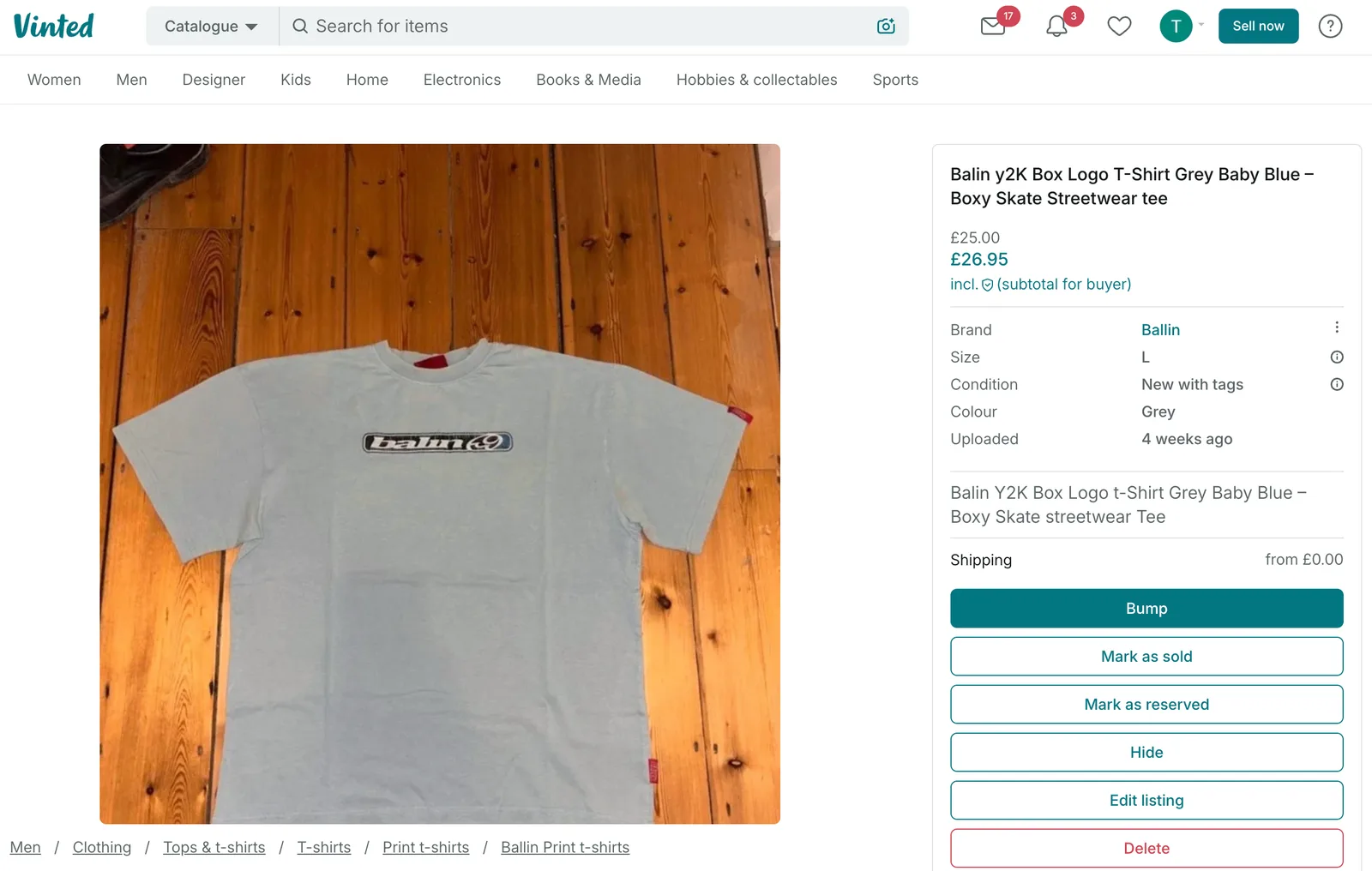
1. Gather the listing
Copy the title, description, brand, size, condition and colour from Vinted. Use the original photos from your phone if you still have them.
2. Start a new Depop listing
Depop’s listing guide has the steps. In the app, tap Sell, add photos, describe the item, add category, shipping price, brand and condition, set a price and tap Post listing. On the website you click Sell now instead.
You can save a draft and come back to it. Drafts saved in the app show up on the web and the other way round.
3. Rewrite the description
Do not paste the Vinted text as it is. Depop buyers search in style words. Put the item’s name first, then measurements, condition and flaws, then up to five truthful hashtags. Depop’s search page warns that unrelated information, such as a brand you are not selling, “can hurt your listing’s exposure”.
4. Set the shipping and item price
Vinted never asked for a postage price. Depop does. Set it from the real cost, and read Depop’s UK shipping guide before choosing between Depop Shipping and your own label. Depop also shows a suggested price range and similar sold items.
5. Post it and keep a list
Note which items are on both sites, even just on your phone. You need it for the sync step below.
What are the fees on each side?
Neither site charges a UK seller a selling fee, but they do not cost the same.
- Vinted: “no selling fees on Vinted” (fee page). The buyer pays the Vinted fee at checkout, which the price list (last updated 8 October 2026) puts at “usually 3% to 8% + £0.3 to £0.8”. What you set is what you keep. See our Vinted fees guide.
- Depop: no selling fee, but a 2.9% plus £0.30 payment processing fee, charged on the item price plus shipping and any tax (seller fees page). The buyer pays a separate Marketplace fee of up to 5% of the item price plus up to £1. A buyer buying through a boosted listing adds a 12% boosting fee. See our Depop fees guide.
- Vinted
- None
- Depop
- None for UK sellers
- Vinted
- None
- Depop
- 2.9% + £0.30, so 88p on £20
- Vinted
- 3% to 8% + £0.30 to £0.80
- Depop
- Up to 5% + up to £1
- Vinted
- £20.00
- Depop
- £19.12 before any boosting fee
| Vinted | Depop | |
|---|---|---|
| Seller fee | None | None for UK sellers |
| Payment processing | None | 2.9% + £0.30, so 88p on £20 |
| Buyer pays on top | 3% to 8% + £0.30 to £0.80 | Up to 5% + up to £1 |
| You keep on £20 | £20.00 | £19.12 before any boosting fee |
On £20, 2.9% is 58p, plus 30p, so 88p, leaving £19.12. To keep £20, price the Depop copy about a pound higher. See our guide to pricing second-hand clothes for setting the floor first.
How do you keep stock in sync?
The real risk is a double sale. It sells on Depop on Tuesday, you post it Wednesday, and on Thursday a Vinted buyer pays for it too. You cancel an order, the buyer has waited for nothing, and Vinted’s rule against listing a sold item is breached.
Take the other listing down before you post the parcel. Our guide to not selling the same item twice covers habits and tools. If you cannot take listings down for a few days, Depop’s Vacation Mode pauses purchases from your shop for 7 days (help page).
Depop to Vinted
The reverse is easier on typing and harder on rules.
- One listing per item. The catalogue rules say so, and Vinted’s upload guide says identical items cannot be listed twice. For several of the same item, make one listing and give the number in the description.
- Photos. Depop allows fewer, so add the extra Vinted angles: labels, flaws and the size tag. Vinted says to show defects in photos and mention them in the description.
- Postage does not carry over. Per Vinted’s shipping page, the buyer pays and picks the carrier, and you choose a parcel size.
- Hashtags do not carry over. Move the useful words into the description in plain sentences.
- No bulk tools. Vinted’s terms, applicable from 8 October 2026, say members must not use “any kind of external software tools (including but not limited to: bots, scraping programs, crawling programs, spiders)” unless authorised, or “delete and re-list the same Item multiple times or multiple Items in bulk”. Read them before using any app that touches your Vinted account, and keep Vinted activity to the pace of a person listing by hand. More in our relisting guide.
Can an app do it for me?
By hand, one item takes about ten minutes, so fifty is a weekend. A crosslisting app reads a listing, maps the category, brand, size and condition, copies the photos and creates the listing. Our best crosslisting apps post compares the ones that cover Vinted and Depop.
Check what the app does after a sale. Unless it links the two listings and takes the other down, the sync rule above is still your job.
 How SaleLinx helps
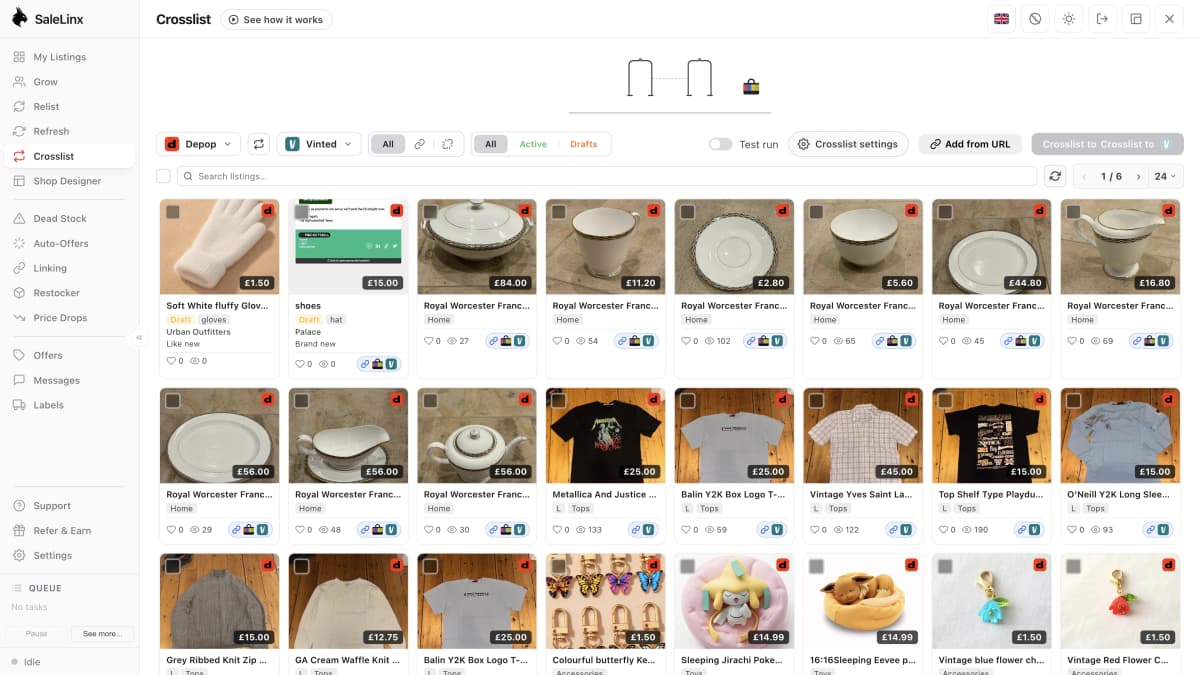
SaleLinx is a Chrome extension for Depop, Vinted and eBay sellers. Its Crosslist tab copies listings between Depop and Vinted in either direction.
- Maps categories, sizes, conditions, colours and brands, and you review each item before it goes.
- Copies are created as drafts on Depop and Vinted, or posted after if you choose.
- You can link the same item across marketplaces.
- On a Pro or Business plan, it takes the other listings down when a linked item sells.
It notices a sale on its next check, about every 5 minutes for Depop and Vinted, so it is not instant, and it only runs while your browser is open. Vinted’s terms restrict external software tools, so keep Vinted activity to what a person would do by hand.
See the crosslist guide for details, and the 14-day free trial to try it. SaleLinx is not affiliated with Depop or Vinted.
Try it free for 14 daysQuestions
Can I cross list from Vinted to Depop for free?
Yes, by hand. Listing is free on Vinted, and Depop does not charge UK sellers a selling fee, so the only cost is your time. Depop does take a 2.9% plus £0.30 payment processing fee when an item sells. Apps that do the copying for you charge a monthly fee.
Do I have to price differently on Depop than on Vinted?
If you want to keep the same amount, yes, slightly. Vinted charges the seller nothing, while Depop takes payment processing of 2.9% plus £0.30, which is 88p on a £20 item. A buyer on each site also pays their own fee on top, so the price they see is higher than the one you set.
What happens if the item sells on both at once?
You have to cancel one order. Cancel the later one as soon as you see it and message the buyer. Vinted forbids listing an item that is already sold, so hide the Vinted listing the moment a Depop sale comes in.
Why does my Vinted description not work on Depop?
Depop buyers search with style words, and Depop’s own tips ask for a searchable title, measurements, condition and up to five hashtags. A short Vinted description with none of that gives the Depop search less to match. Rewrite it for Depop rather than pasting it.
Is it against Vinted’s rules to use a crosslisting app?
Vinted’s terms restrict external software tools and separately ban deleting and re-listing items in bulk. They do not mention crosslisting by name. Read the current terms, keep activity on your Vinted account to what a person would do by hand, and never let a tool bulk delete and re-list your Vinted items.